

RxJS Subject
- RxJS (Reactive Extensions for JavaScript) is a library for reactive programming using observables that makes it easier to compose asynchronous or callback-based code.
- A subject in RxJS is used for multicasting data. This means that data can be pushed into a subject and the subject’s subscribers will in turn receive that pushed data.
Types of Subject in Angular
1. BehaviorSubject
- BehaviorSubject needs an initial value as it must always return a value on subscription even if it hasn’t received a next().
- Upon subscription, it returns the last value of the subject. A subscriber will get the latest value upon initial subscription.
- For instance, an event stream of birthdays is a Subject, but the stream of a person’s age would be a BehaviorSubject.
2. ReplaySubject
- A ReplaySubject records the last n events and plays them back to every new subscriber. For example in a chat application. We can use it for tracking the record of previous chat history.
- ReplaySubject is used to track history.
3. ASyncSubject
- The AsyncSubject is a variant where only the last value of the Observable execution is sent to its observers, and only when the execution completes.
In this blog, we’ll be focusing on using the Subject and in the follow-up post, we’ll show how to use Subject Variants.
Prerequisites
- Angular must be installed with a minimum version of 6
Setup an Angular Project
- Use Angular CLI (Command Line Interface) to create a new project, you can use any of the below commands. Go to the directory where you would like to create a project and then run the command below command.
-
- ng new <project name> Or
- ng n <project name>
- Now go into your project directory through the terminal and run the ‘ng serve’ command.
- cd subject-angular
- ng serve -o
The above command will go to launch the application on http://localhost:4200 and your project directory will be going to look like this.
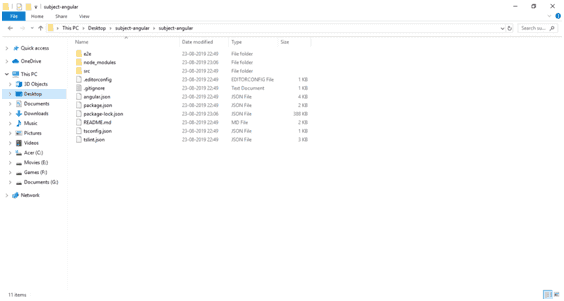
After Setting Up the Angular Project Perform the Below Steps
- Run the command ng g c components/new to generate the new component and In new.component.html replace the content with :
<input type="text" placeholder="Enter message"

(change)="sendMessage($event.target)">
- Now run the command ng g s services/data. This will create a service at src\app\services\data.service.ts
- Now Import the subject and create the object of the subject into DataService. The final code shall look like this
import { Injectable } from '@angular/core';

import { Subject } from 'rxjs';

@Injectable({

providedIn: 'root'

})

export class DataService {

public message = new Subject<string>();

constructor() { }

setMessage(value: string) {

this.message.next(value);

}

}
Here message.next() method is used to send messages to an observable which are then sent to all subscribers of that observable.
- Now, inject this service in new.component.ts and pass an instance of it to the constructor.
Do this for app.component.ts too. The code shall look like this:
import { Component, OnInit } from '@angular/core';

import { DataService} from 'src/app/service/data.service';

@Component({

selector: 'app-new',

templateUrl: './new.component.html',

styleUrls: ['./new.component.css']

})

export class NewComponent implements OnInit {

constructor(public dataService: DataService) { }

ngOnInit() {

}

sendMessage(event) {

this.dataService.setMessage(event.value);

}

}
Here we are passing the value to the service function setMessage().
Inside app.component.ts, subscribe to the subject to get the data from new.component.ts:
           import { Component } from '@angular/core';

           import { Subscription } from 'rxjs';

           import { DataService } from './service/data.service';

          @Component({

selector: 'app-root',

templateUrl: './app.component.html',

styleUrls: ['./app.component.css']

})

export class AppComponent {

message: string;

subscription: Subscription;

constructor(public dataService: DataService) { }

ngOnInit() {

this.subscription = this.dataService.message.subscribe(

(message) => {

this.message = message;

}

);

}

ngOnDestroy() {

this.subscription.unsubscribe();

}

}
Here message.subscribe() method is used to subscribe to messages that are sent to an observable.
If you are interested in even more angular-related articles and information from us here at Devstringx, then we have a lot to choose from for you.